
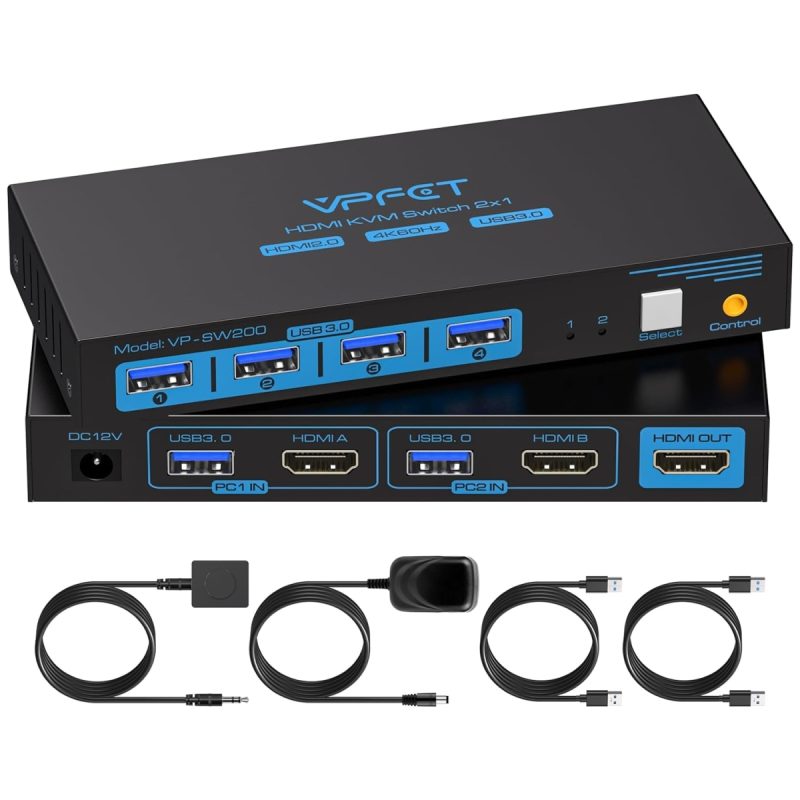

CMSTEDCD HDMI KVM Switch 2 Port — 2 PCs to 1 Monitor 4K@60Hz Overview
- Brand: CMSTEDCD
- Size: 4K HDMI 2 PC 1 Monitor
Overview
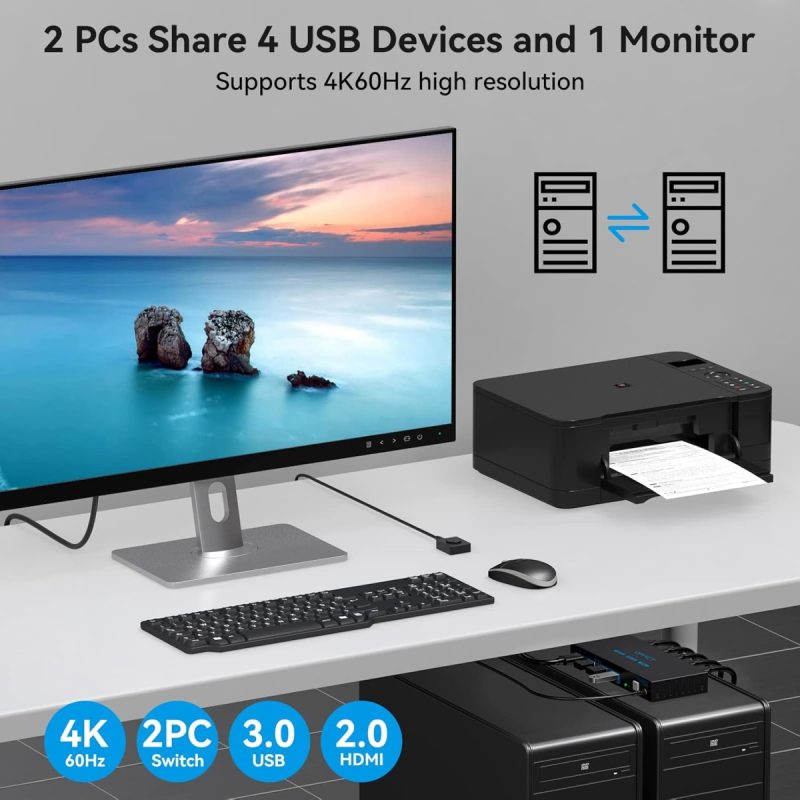
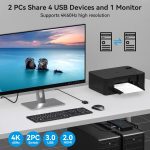
CMSTEDCD HDMI KVM Switch 2 Port — 2 PCs to 1 Monitor 4K@60Hz – The CMSTEDCD HDMI KVM Switch 2 Port allows users to effortlessly connect two PCs to a single monitor, making it an ideal solution for professionals and gamers alike who require efficient multitasking capabilities. With support for stunning 4K@60Hz resolution, this switch enhances your visual experience, ensuring vibrant and lifelike displays for various applications.
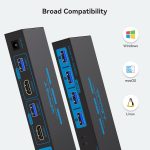
This KVM switch is perfect for those looking to streamline their workspace or gaming setup, as it simplifies the process of switching between devices. The inclusion of USB 3.0 ports facilitates fast data transfer for peripherals, while the desktop cable controller promotes a clean and organised workspace. Whether you’re working on multiple projects or enjoying an immersive gaming experience, the CMSTEDCD HDMI KVM Switch is designed to meet your needs.
Key benefits
- Seamlessly switch between two computers for enhanced productivity.
- Enjoy stunning visuals with support for 4K@60Hz resolutions.
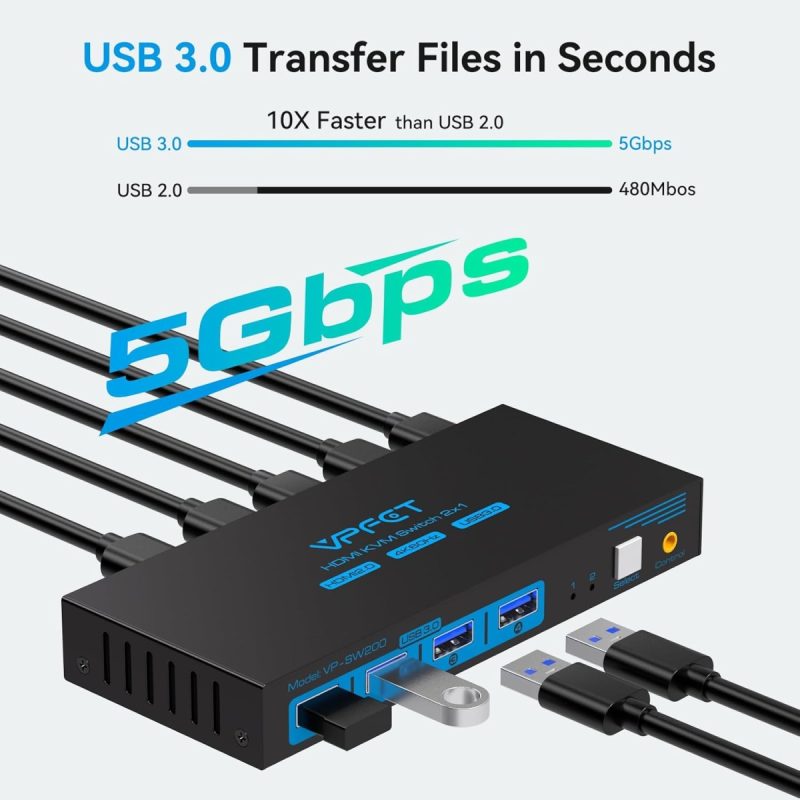
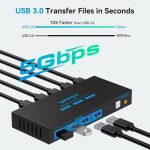
- Fast data transfer rates with four USB 3.0 ports for quick peripheral connections.
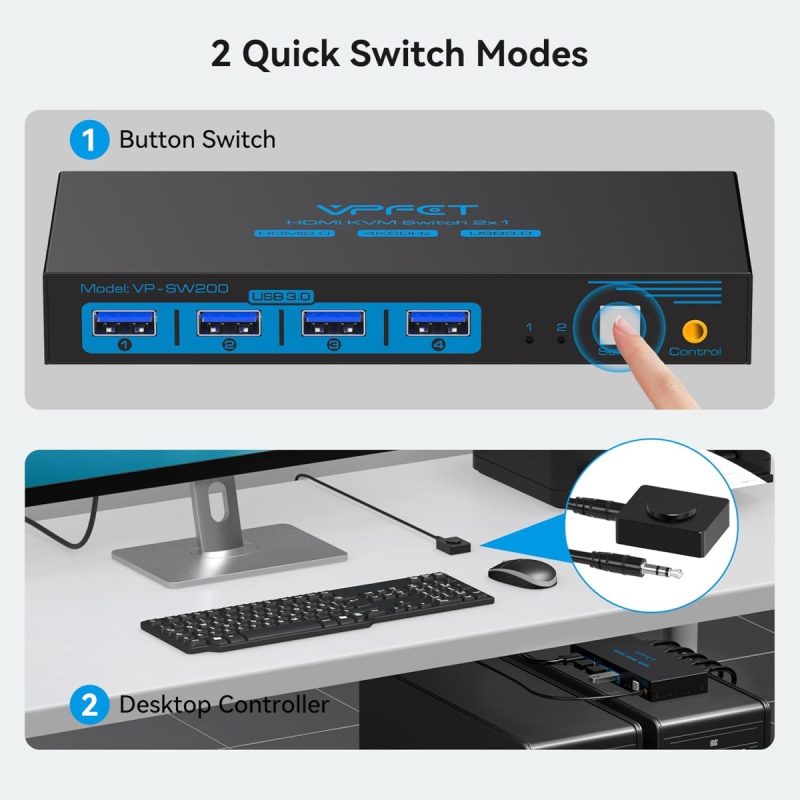
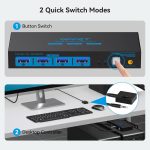
- Simple one-button source switching for easy operation.
- Stable power supply from an external adapter ensures reliable performance.
- Backward compatibility with USB 2.0, 1.1, and 1.0 devices.
- LED indicators clearly show active ports for effortless monitoring.
- Durable construction designed for consistent use in various environments.
How to use
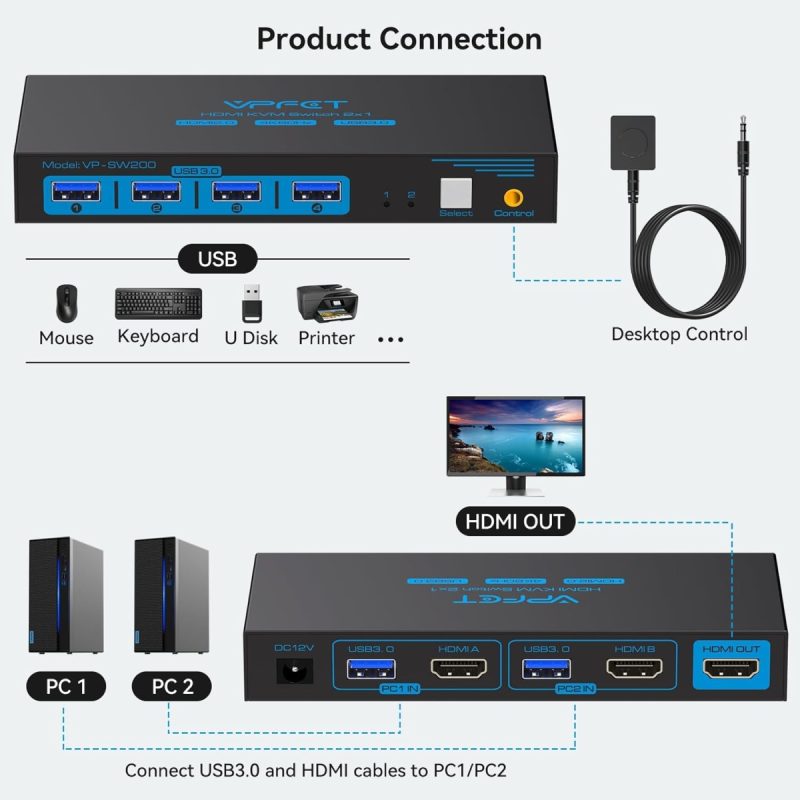
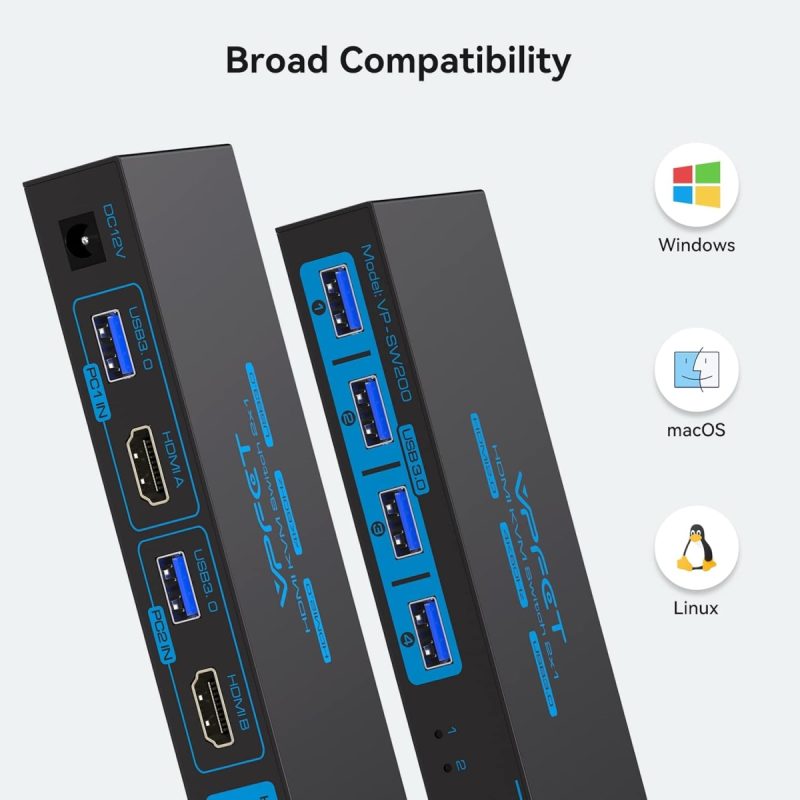
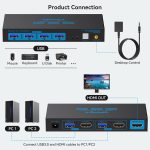
- Connect the two PCs to the CMSTEDCD HDMI KVM Switch using HDMI cables.
- Plug the USB peripherals (keyboard and mouse) into the USB 3.0 ports on the KVM switch.
- Connect the KVM switch to your monitor using an HDMI cable.
- Plug in the external 12V power adapter to the KVM switch and connect it to a power outlet.
- Use the desktop cable controller to switch between the two PCs by pressing the designated button.
- Ensure that your monitor is powered on and set to the correct input source to view the selected PC.
Specifications
- Part Number: SW200-Deep Blue
- Weight: 363 g
- Model: SW200-Deep Blue
- Size: 4K HDMI 2 PC 1 Monitor
- Shape: Square
- Wattage: 12 watts
- Switch Type: 2-way
- Plug Profile: Panel Mount
- Batteries Required: No
- Manufacturer: CMSTEDCD
What’s in the box
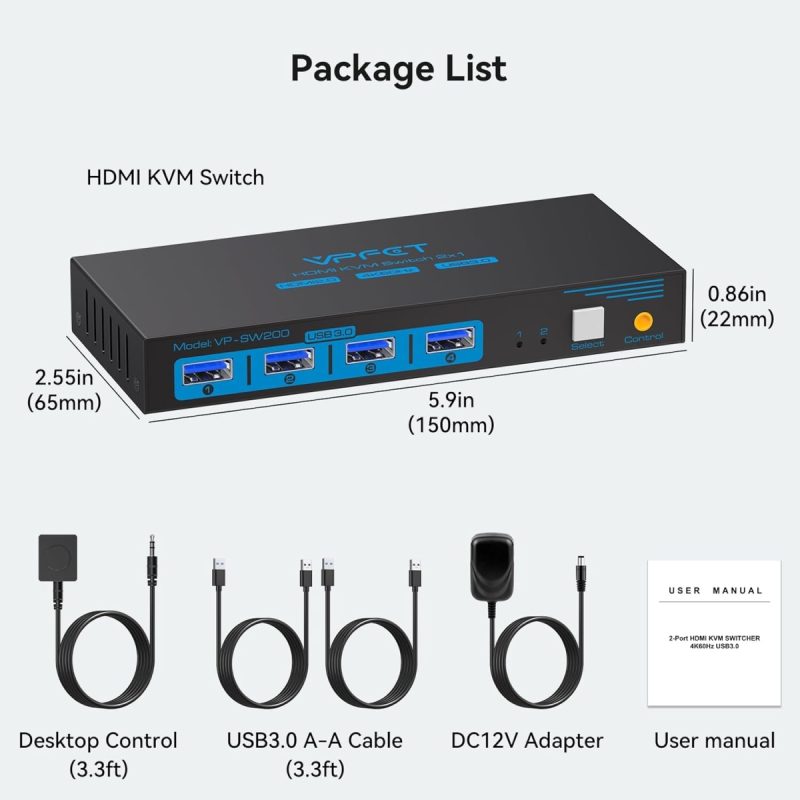
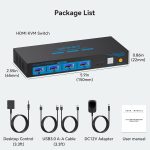
- CMSTEDCD HDMI KVM Switch
- Original box
- 12V external power adapter
FAQs
What is the maximum resolution supported by the CMSTEDCD HDMI KVM Switch?
The CMSTEDCD HDMI KVM Switch supports a maximum resolution of 4K@60Hz.
How many PCs can be connected to the CMSTEDCD HDMI KVM Switch?
The CMSTEDCD HDMI KVM Switch can connect 2 PCs to 1 monitor.
What type of ports does the CMSTEDCD HDMI KVM Switch feature for data transfer?
The switch features USB 3.0 ports for fast data transfer.



selina –
Review of VPFET KVM switch by NickReason for buying: Both my two computers are not up-to-spec for W11, but I wanted to keep them rather than write of hundreds of pounds worth of decent equipment. I decided to move to Linux, but I didn’t want to lose Photoshop and the other photo processing software. (Yes I know that there are good image processing software for Linux, but I don’t want to spend years learning to use new software) So I decided to use one computer for Linux, and keep the other for photo processing (disconnecting it from the Internet when the W10 security updates end). I didn’t want two sets of controls, so I decided to buy a KVM switch, and this one seemed to have good reviews.Buying experience: very fast delivery, and no problems. The item was well packaged and arrived in perfect condition.Setting up: For a KVM connected to just two computers using one screen each, there is no difficulty in setting it up. You connect a graphics cable and USB cable from one computer to the switch, and do the same for the second computer. Then connect another graphics cable from the switch to the monitor. Then connect your mouse and keyboard to the switch, and you are ready to go.All went well up to this point. However, when I turned on the computers I found that when using one of them, the screen went on and off so rapidly that I couldn’t use it. My first reaction was to assume that the switch was faulty, so I contacted the seller. I got a prompt and courteous reply suggesting that I swap the cables over before they sent me a replacement. When I did that, I discovered that the fault was not the switch because the fault changed to the other computer. A quick bit of research on-line revealed the problem. The fault was with one the HDMI cables. It was an original specification HDMI, and not up to the job of providing a strong enough signal to go along the five metres of cable, and through the switch. I purchased a new HDMI 2.1 cable (latest specification), and everything worked fine.This illustrates (at least partially) why we see so many conflicting reviews of this sort of item on Discount Delights. I could easily have said that the switch didn’t work for me, asked for a refund, and written a negative review. As it has turned out, there is nothing wrong with the switch, and it was my HDMI cable that was not up to the job. But how many people would consider a problem being another part of the ‘chain’?In operation: The switch is working perfectly. It takes no more than a second to switch between computers, and I get no flickering on the screen. It is great to also have external hard drives available on both computers. I am pleased to report that the drives seem happy to work with both the Windows and Linux Mint operating systems. The printer too is available on both systems. All in all, a great bit of kit! I have this KVM switch on my computer desk, so I have not needed to use the remote supplied control.It’s early days, but one reason that I purchased from this seller is that they offer to replace a faulty switch for up to two years after purchase. And I am already happy with the level of support from this seller. I would say buy this KVM switch with confidence, but also check the rest of the system that you will be installing it in.
Matt –
This HDMI KVM Switch is an excellent solution for anyone needing to manage multiple devices with a single monitor, keyboard, and mouse setup. My previous KVM Switch, from a well known established brand, was flakey as the switch button got stuck or it simply didn’t switch devices and I had to remove the cables to reset it.I’ve had this switch since early September 2024 so I wanted to use/test it thoroughly before reviewing it.Why I rate this KVM Switch——————————–4K@60Hz Support:This switch supports 4K at 60Hz which is great for the average gamer. If you’re using it for video editing or design work then this switch will handle the workload effortlessly.Multiple USB 3.0 ports:This KVM switch comes equipped with additional USB 3.0 ports, which is a great upgrade over my existing KVM switch, which only had two ports for the mouse and keyboard. It works perfectly with wireless dongles (for my wireless mouse and keyboard).Easy Setup:Plugging my main PC and my work laptop in to the switch was a breeze. It took me less than 5 minutes to have everything up and running. Switching between devices is super simple with either a press of the ‘Select’ button or using the supplied controller (wired).Good Build Quality:The overall build feels solid and durable. The HDMI and USB ports are well-positioned, and the ‘Select’ switch button has a satisfying click and is quick to respond. In terms of latency, this switch feels more modern with high-quality circuits to minimise delay when switching. It is certainly much quicker than my previous KVM Switch.——————————–If you are looking for a no nonsense KVM switch which is solidly built and reliable – I would highly recommend this product.
Jon –
I looked at many switches before settling on this one which is sensibly priced and does the job perfectly. The connection instructions with it are clear and easy to follow (albeit they refer to IN1 and IN2 when the connections themselves are labelled A and B). Unfortunately the external switch button with mine did not work hence 4 stars not 5 so I’m using the one on the unit itself which does the job. But it’s great value for money
Wiltshire train man –
I acquired this to help ensure my lad could run a new Linux Bazzite based PC next to his older Windows machine but share the interface.On receipt the unit was well packed with appropriate instructions and the associated cables that came with it. In practice installation was easy and the remote switch was particuarly useful we have it sitting at the front of one of the PC cases and the actual switch is closer to the back.In use it works exactly as you would expect and has done so ever since we first installed it. What is interesting – and this is nothing to do with the switch – is how Windows can’t recover the USB port connections when they are switched away from it and then back again and yet the Linux Bazzite PC has no such problem.Anyway very happy we bought this unit and its doing sterling service for my lad.
Philip Reid –
Works ok – SEE UPDATE – works GREAT!
The one I received appeared to be a return. I’m not worried about it since it does work pretty fine but the indicator lights don’t work. Since it’s a two device KVM, it’s not a big deal. Personally, I would not buy this brand based on that for the reasoning that if the indicator lights don’t work, that is poor manufacturing quality. If it was returned to Discount Delights, bad on them for sending a returned product back out. It works, but it’s not great.UPDATE: I have to say, I was not expecting anything at all from my review but the company reached out and actually provided exceptional customer service, genuinely wanting to make it right. I was not interested in a refund so they instead sent me a new unit and I have to say, it works exactly as I was hoping – which is quite perfectly! Based on their exceptional customer service and their great product (that now works very well), I have to change my rating to 5 stars. Thank you again!!
Mr James Canty –
Excellent Product
I totally recommend this product. It does its job perfectly, combining two computers with one monitor. Set up is fully explained in the included instructions. 5 stars for the manufacture and Discount Delights too.
Kaniki –
It works fine on my TV.. Not sure about all the freatures though
One thing to note.. This is a thinner cable, not a thicker one.. If you are fine with that, then this will work..I have not had any problems with it playing regular blu-rays on my 4k TV on a 4K Blu-ray player.. I have no additional sound system, or anything like that.. So I can not comment about getting 3D sound through it or anything like that.. But so far, it has worked fine for me.. I got a new player and decided to not chance my 10+ year old HDMI player cord which is the only reason I upgraded to the newer cord..
Alexander V. –
Snelle levering. Goede produkt/kwaliteit verhouding.
Binnen vier dagen geleverd, inclusied de twee dagen (zondag/maandag) sluitingtijd van het door mij gekozen afhaalpunt.De KVM switch voldoet volledig aan de omschrijving en wordt voor en goede prijs aangeboden.De switch ondersteund zowel USB 3.0 en 4k@60hz wat voor de meesten ruim voldoende is.Naast een local switch op de KVM is deze ook te schakelen via een bekabelde remote knop, maar gezien de lengte van de kabel (1 m), vind ik deze eigenlijk overbodig. Schakelen gaat dan ook nog met de local switch. Enig puntje voor verbetering: Een remote schakelmogelijkheid via een toets combinatie op het toetsenbord ipv de remote knop.Tevreden met de aankoop!
Tom V –
So far Excellent!
I didn’t use the included cables beyond the powercord and remote cable. I bought some more premium usb3 cables to hook each computer. So far extremely impressed. Not a hitch, everything works perfectly. I was going to get one of those UGreen usb switch, but thought, for a few bucks more I can get a video and an external power wire!.. I’ll update this review if things change, but I doubt I’ll have problems with it. Well made device and looks great too!UPDATE: As others say, I am unable to wake my PC from sleep with this switch. Pretty lame. But I guess it’s part of saving money. Had I known before I wouldn’t have gotten this.