

- Brand: Yongxinsheng
Overview
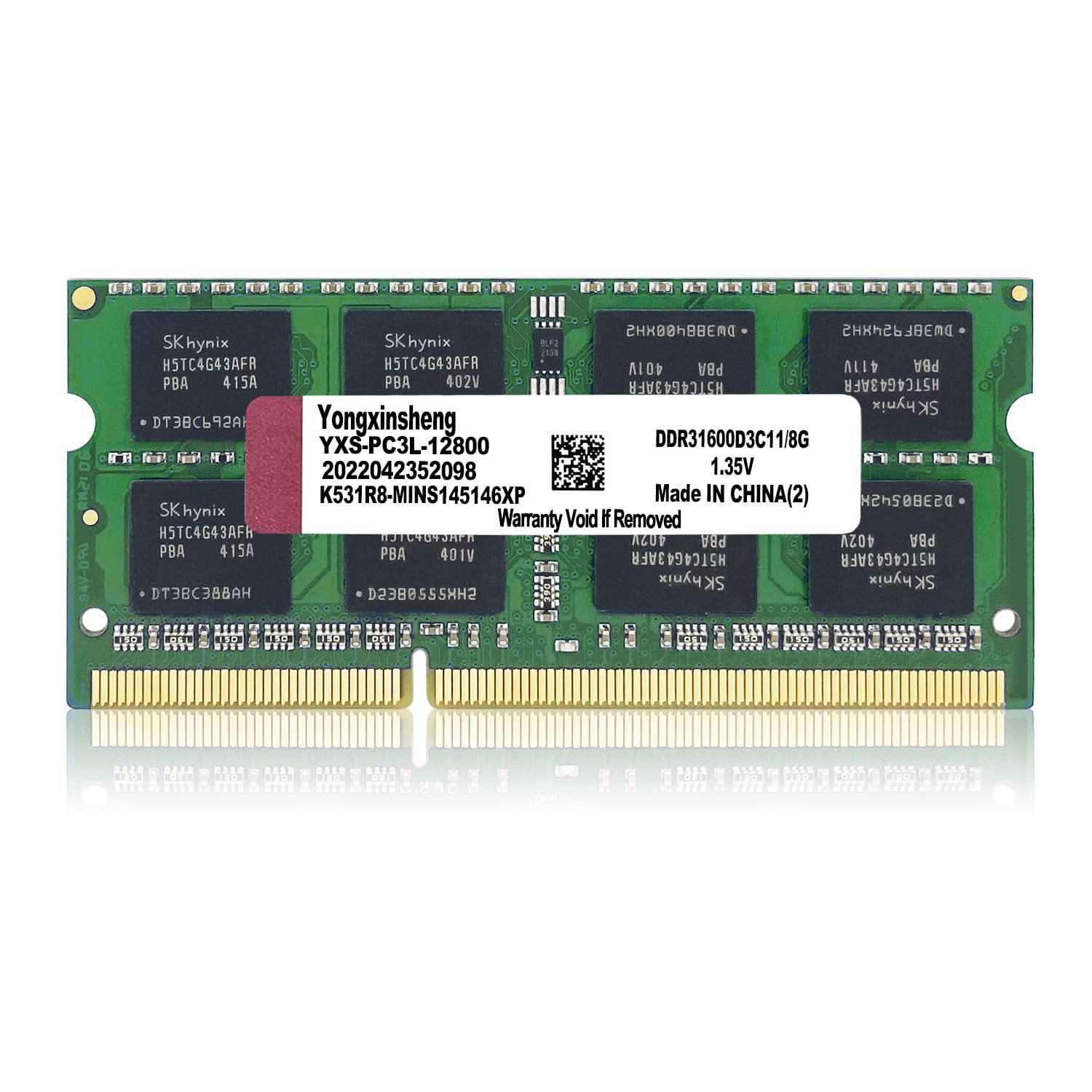
Enhance your laptop’s performance with the 8GB DDR3 DDR3L Laptop RAM, operating at a speed of 1600MHz. This high-performance memory module is designed to improve multitasking capabilities, allowing you to run multiple applications smoothly without lag. Ideal for users who require efficient performance for data-intensive tasks, this RAM is perfect for both casual users and professionals alike.
Whether you’re upgrading an older laptop or looking to boost your current system’s responsiveness, this 8GB SO-DIMM module is a straightforward solution. Its compatibility with various laptop models ensures that you can easily enhance your device’s capabilities, making it suitable for everything from everyday computing to more demanding applications.
Key benefits
- Enhances laptop performance with 8GB of RAM.
- Operates at a speed of 1600MHz for efficient data processing.
- Compatible with DDR3 and DDR3L technology.
- Low voltage of 1.35V for improved energy efficiency.
- Easy installation with plug-and-play functionality.
- Supports multitasking by allowing multiple applications to run smoothly.
- Downclocks to 1333MHz or 1066MHz if needed for compatibility.
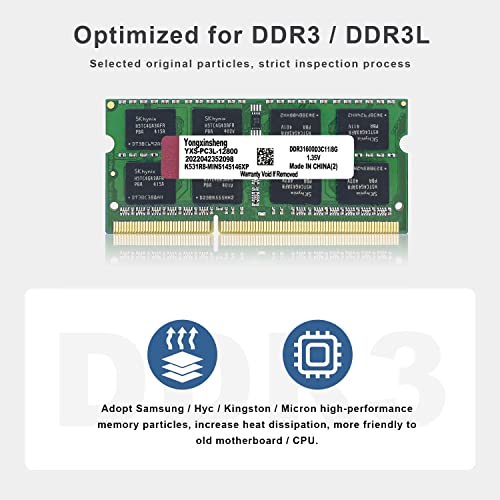
- High-performance memory architecture for better heat dissipation.
- Optimised for older motherboards and CPUs.
How to use
- Ensure your laptop is powered off and unplugged from any power source.
- Locate the RAM compartment on your laptop, usually found on the underside.
- Using a screwdriver, carefully remove the compartment cover to access the RAM slots.
- Remove the existing RAM module if necessary by gently releasing the clips on either side.
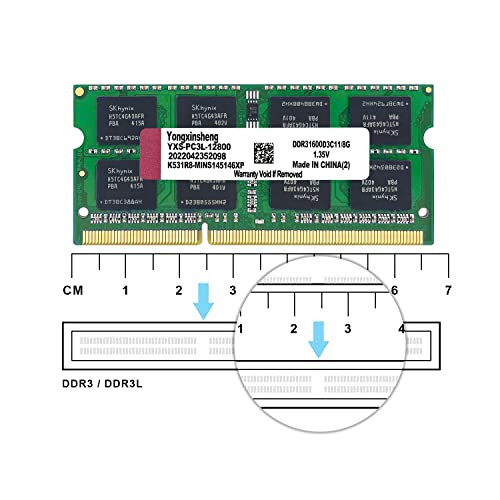
- Align the notches on the new 8GB DDR3 DDR3L Laptop RAM with the slot and insert it at a slight angle.
- Press down firmly until the RAM clicks into place and the clips secure it.
- Replace the compartment cover and power on your laptop to ensure the RAM is recognised.
Compatibility
- Compatible devices: Laptop
Specifications
- Brand: Yongxinsheng
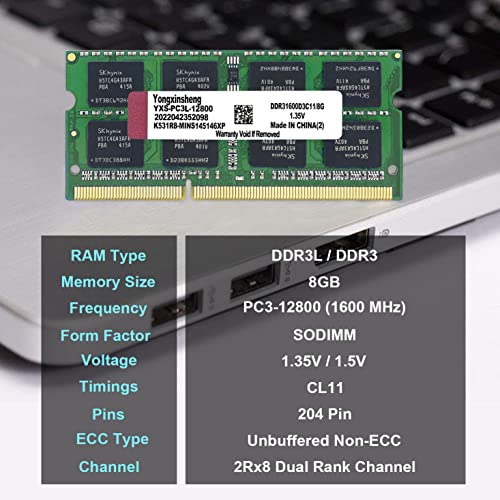
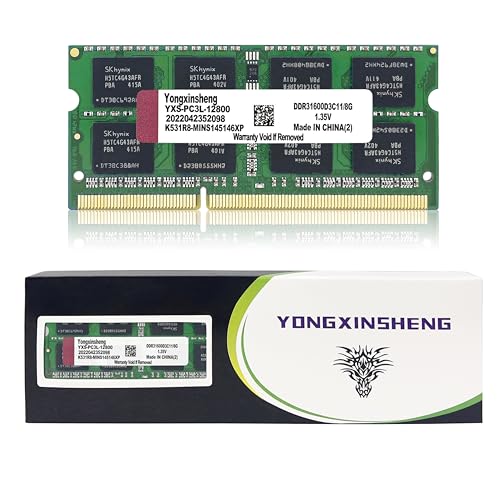
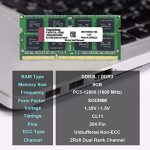
- Voltage: 1.35 Volts
- Compatible devices: Laptop
- Manufacturer: Yongxinsheng
- SKU: B0B28C3MBG
- Brand Name: Yongxinsheng
- Column Address Strobe Latency: CL11
- Computer memory size: 8 GB
- Country of Origin: China
- Data transfer rate: 1600 MHz
- EAN: 0752790061135
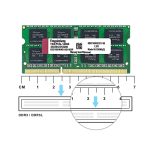
- Form Factor: SO-DIMM
- Memory speed: 1600 MHz
- Number of pins: 204
- Product Features: High-performance
- Product Warranty: 1 Year Warranty On Parts
- RAM memory technology: DDR3 / DDR3L
- RAM Size: 8 GB
- UPC: 752790061135
FAQs
What is the memory size of this RAM?
The memory size of this RAM is 8 GB.
What is the speed of the RAM?
The RAM operates at a speed of 1600 MHz.
What is the voltage of this RAM?
The voltage of this RAM is 1.35 Volts.





Daniel Belchior –
Nice and cheap upgrade
Works perfectly on my thin client
Fiorina –
I was looking to replace a faulty RAM module on my laptop and needed it urgently. I decided to upgrade my laptop’s RAM to 16GB with these two 8GB modules at the same time. There wasn’t much choice on Amazon, and being a brand I’d never heard of before, I was a little sceptical about their performance. However, I needed them as quickly as possible, so I decided to give them a try.These RAM modules were perfect! I was even able to get them the same day, which was exactly what I needed. The quality is excellent and they were well protected in the packaging.They are super easy to install. You just remove the laptop battery, press the power button to discharge any remaining power, open the clips at the side of the old memory modules and remove them. Slide the new modules into the clips and push down to lock them into place. Refit your laptop battery, power the laptop on, and that’s it, you’re good to go. You can view your new memory capacity in Task Manager.I’m super happy with my purchase. These aren’t the fastest modules out there and not the best value for money at their current price, given that they are quite old, but they do the job, and I was able to get them the same day, which I’m grateful for.If you’re looking to upgrade the RAM for your laptop, I highly recommend these.Thank you for taking the time to read my review. I hope that you found it helpful and that it assists you in your decision-making. I try to be as honest and fair as possible, as those have always been the reviews that helped me the most.
John Smith –
An easy and cheap upgrade to an old laptop is to replace the ram. I used this on a HP Envy 17 inch from 2012 to upgrade the ram from 12GB to 16GB.Installation was quick and easy. Always check in the computer settings after install to make sure the RAM is working correctly.The RAM speed is not the best but if you are buying this it is for an old laptop so it is as fast as it can handle.All in all, this is a cheap way to boost performance on an old PC / Laptop
Lee –
My laptop started playing up so could not use it and really needed to, I found out it was tge Ram that needed changing so looked online and seen this quite late but ordered it and had it the next day and now my laptop is working great 👍
baz –
Bought these to upgrade an older laptop with this DDR3L 4GB 1600MHz RAM module, and overall, I’m satisfied with the performance boost it provided for basic tasks. The RAM is low-voltage (1.35V), so it’s compatible with systems requiring DDR3L, making it a solid choice for extending the life of budget or legacy laptops that support this type.The installation was straightforward, and the system recognized it right away without any BIOS adjustments. Performance-wise, it improved responsiveness in daily tasks, such as web browsing, document editing, and light multitasking. For users with 2GB or low amounts of RAM, this upgrade can make a noticeable difference in speed and handling of everyday tasks.The 1600MHz speed is adequate for general use, but it won’t meet the needs of more demanding applications like video editing or gaming. Additionally, some newer laptops only support DDR4, so be sure to check compatibility.In summary, this DDR3L 4GB RAM module is a good value for boosting performance in older systems. It’s an affordable and reliable option if you’re looking to get a bit more life out of your laptop without spending a lot.
MWG –
Worked like a charm
Just swapped out the existing memory of a HP Compaq Elite Ultra Slim desktop (8300) and it worked like a charm. It’s stated here as dual voltage, but only 1,35 volt on the product and box. Reached out to the seller concerning 1,35 versus 1,50 volt and received a quick reply (it would work and it does!).
Ranchero Queen –
I was looking to upgrade the memory in my Synology DS218+ NAS from 2GB RAM that is built in. Officially you can upgrade to 6GB RAM by adding a 4GB module but this 8GB memory is recognised by the NAS and fits perfectly in the easily accessible RAM slot.The NAS booted perfectly and reports back 10GB RAM. Very easy and cost effective upgrade.Recommended 👍
zabi –
Works well
Ahmad Bayoumy –
جيد جدا و سعرها مناسب ٦٥٠ جم
السلعة كويسة ركبتها بنفسي حسيت بفرق فى الجهاز بعد التركيب و كانت بترشيح من chat gpt, وانها تنفع اللاب بتاعى
Emmanuel –
Produit conforme
Fonctionne très bien
ASTON –
DDR RAM, what’s great was easy to install thank you very much
Icymate –
Fantastic item, perfect quality, highly recommended. Worth every penny.
Amazon Kunde –
good ram
works perfect