
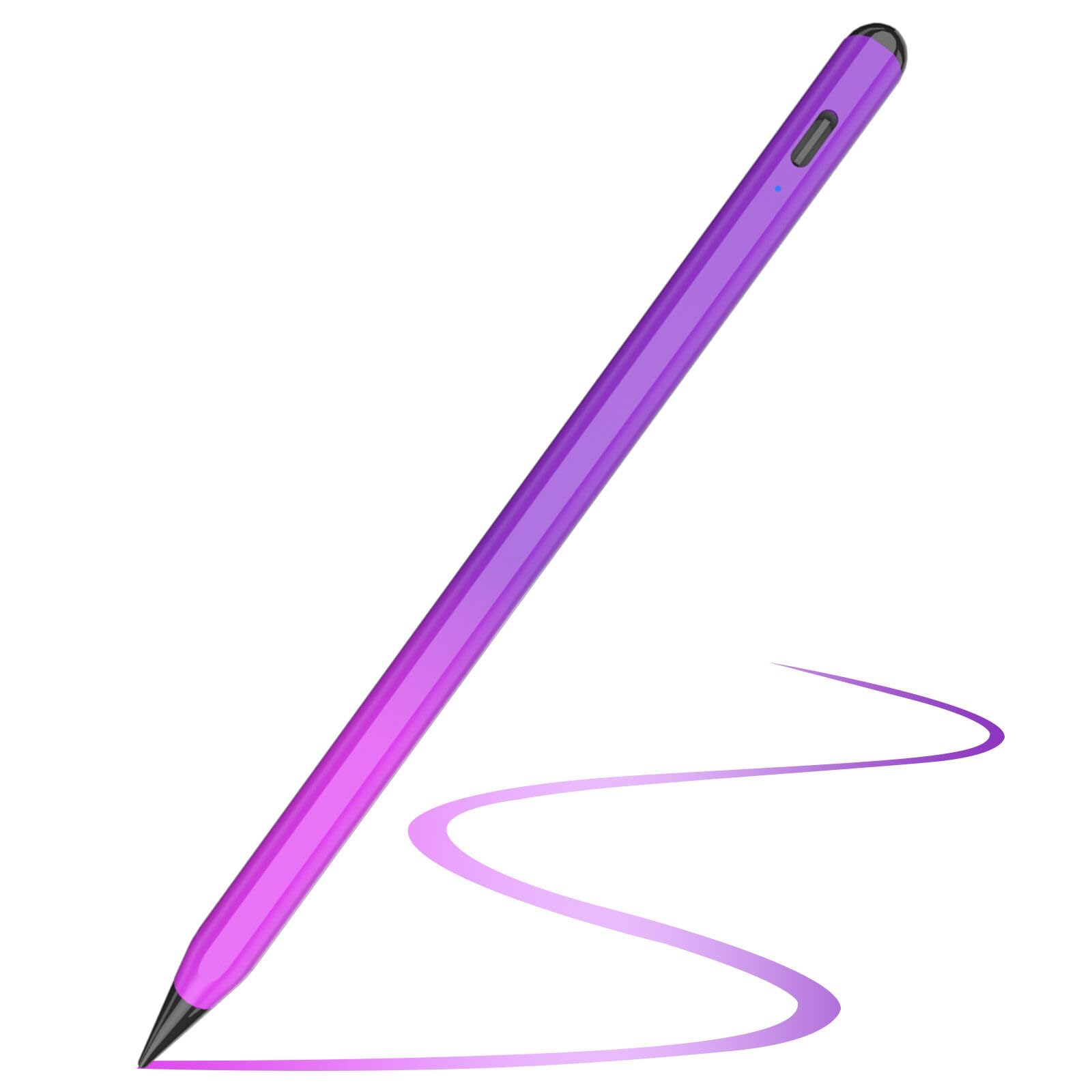




- Brand: TQQ
- Material: Aluminium
- Colour: Purple Rose
Overview
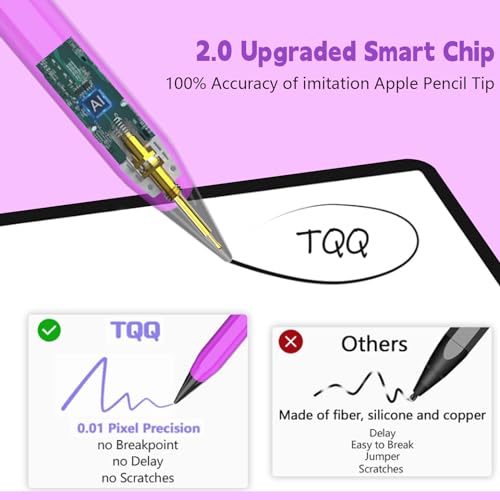
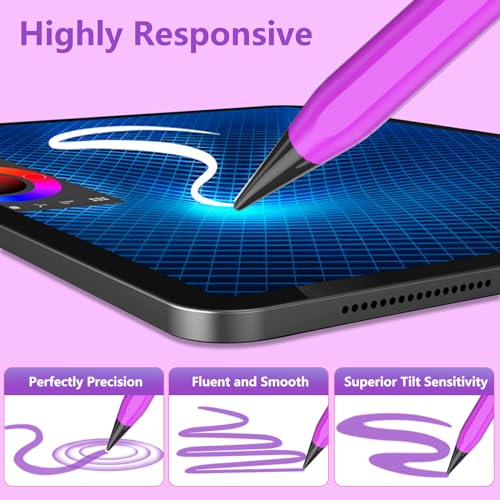
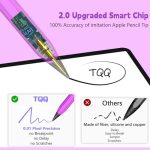
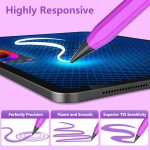
The TQQ Pencil for iPad (2018-2025) offers pixel-perfect precision and tilt sensitivity, making it an ideal tool for artists, students, and professionals alike. With its advanced smart chip, this stylus pen ensures high accuracy and responsiveness, allowing users to effortlessly write, sketch, and take notes on their iPads.
Designed specifically for compatibility with various iPad models, including the iPad Pro, Air, and Mini, the TQQ Pencil enhances the digital writing experience. Its palm rejection feature allows users to rest their hand on the screen while writing, mimicking the feel of traditional pen and paper. Whether you’re creating detailed illustrations or jotting down quick notes, this stylus provides a smooth and intuitive experience.
Key benefits
- Pixel-perfect precision for accurate writing and drawing.
- Unrivalled tilt sensitivity for varied line thickness.
- Fast charging in just 15 minutes for extended use.
- Long battery life with up to 365 days of standby time.
- Palm rejection technology for a natural writing experience.
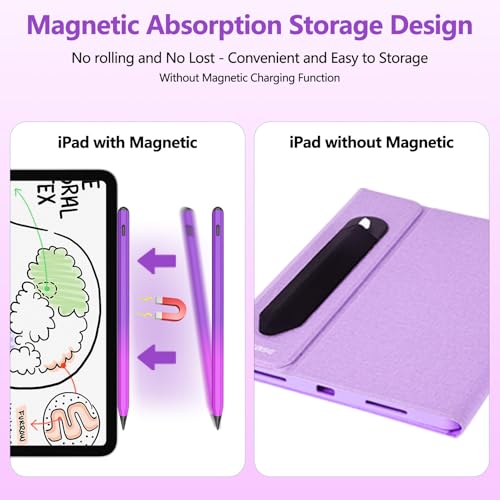
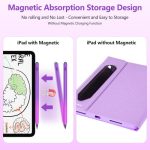
- Magnetic design prevents rolling and loss of the pencil.
- Includes 5 replaceable pen tips for longevity.
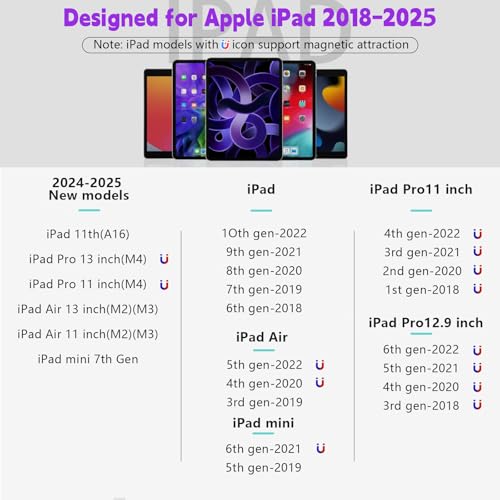
- Compatible with a wide range of iPad models from 2018 to 2025.
How to use
- Ensure your iPad model is compatible with the TQQ Pencil by checking the model number on the back of your device.
- Charge the TQQ Pencil for 15 minutes before first use.
- To turn on the pencil, double-tap the pencil cap until the indicator light turns on.
- Rest your hand on the iPad screen while writing or drawing for a natural experience, thanks to the palm rejection feature.
- Use the pencil for various tasks such as drawing, note-taking, or sketching, utilising its pixel-perfect precision and tilt sensitivity.
- When finished, double-tap the pencil cap again to turn it off, or it will automatically turn off after 5 minutes of inactivity.
Compatibility
- Compatible devices: 【iPad (6th, 7th, 8th, 9th and 10th generations】, 【iPad Air (3rd, 4th and 5th generation】&【 iPad Mini (5th and 6th generation】, 【iPad Air 11-inch & 13-inch (M2), iPad Pro 11-inch & 13-inch (M4)】, 【iPad Pro 11 inch (1st, 2nd, 3rd and 4generation】, 【iPad Pro 12.9-inch (3rd, 4th, 5th and 6th generation】
Specifications
- Brand: TQQ
- Model Number: TQQUK-2GenPEN-PR
- Dimensions: 11 × 11 x 166 millimetres
- Weight: 0.016 kg
- Colour: Purple Rose
- Material: Aluminium
- Compatible devices: 【iPad (6th, 7th, 8th, 9th and 10th generations】, 【iPad Air (3rd, 4th and 5th generation】&【 iPad Mini (5th and 6th generation】, 【iPad Air 11-inch & 13-inch (M2), iPad Pro 11-inch & 13-inch (M4)】, 【iPad Pro 11 inch (1st, 2nd, 3rd and 4generation】, 【iPad Pro 12.9-inch (3rd, 4th, 5th and 6th generation】
- Batteries Required: Yes
- Manufacturer: TQQ
- SKU: B0CFDR9CWD 2nd CL
- Are Batteries Included: No
- Are Batteries Included?: No
- Are Batteries Required: Yes
- Batteries required?: Yes
- Battery average life standby: 365 days
- Battery description: Lithium
- Brand Name: TQQ
- Charging time: 15 minutes
- Compatible Tablet Computer Models: Apple iPad (6th generation), Apple iPad Air (3rd generation), Apple iPad mini 5
- Enclosure Material: Aluminium
- Item diameter: 0.85 Centimetres
- Item dimensions L x W x H: 11 × 11 x 166 millimetres
- Number of batteries: 1 Lithium Polymer batteries required.
- Product Warranty: 2 year warranty
- Unit count: 1.0 count
What’s in the box
- 1 x Electronic iPad Stylus
- 5 x Spare Pen Tips
- 1 x Pencil Case Holder
- 1 x Type-C Charging Cable
- 1 x Dust Cover for Type-C port
- 1 x User Manual
- 1 x Package Box
FAQs
Is the TQQ Pencil compatible with older iPad models?
No, the TQQ Pencil is not compatible with iPad models released before 2018.
How long does it take to charge the TQQ Pencil?
The TQQ Pencil takes approximately 15 minutes to fully charge.
What is the battery life of the TQQ Pencil?
The TQQ Pencil has a standby battery life of about 365 days.



Ibo Santiago TPK –
I’ve been using the Apple Pencil for a few weeks now, and I have to say, it’s completely transformed the way I use my iPad. If you’re someone who loves to doodle, sketch, or take notes, this is a must-have accessory!First and foremost, the precision of the Apple Pencil is remarkable. It feels just like using a high-quality traditional pencil, but with the added benefit of all the digital tools at your fingertips. The responsiveness is incredible, with no noticeable lag between the movement of the pencil and what appears on the screen. It’s like the iPad knows what I’m going to draw before I even do!The pressure sensitivity is another standout feature. I can easily control the thickness and shading of lines by adjusting the pressure I apply, making my sketches and handwritten notes look incredibly natural and fluid. It’s especially great for digital artists who want the feel of a traditional drawing tool with the power of digital editing.What I love most about the Apple Pencil, though, is its seamless integration with the iPad. The pairing process is effortless, and the battery life is impressive. A quick charge provides hours of use, which is perfect for long drawing sessions or taking notes in meetings or classes.In addition to its functionality, the design is sleek and modern, perfectly complementing Apple’s aesthetic. It’s comfortable to hold, even for extended periods, and the magnetic attachment to the iPad for charging is both convenient and satisfying.Overall, the Apple Pencil is an incredible tool that enhances creativity and productivity. Whether you’re a professional artist, a student, or just someone who loves to take notes or doodle, the Apple Pencil is a fantastic investment. It truly unlocks the full potential of the iPad and makes using it a more immersive and enjoyable experience. Highly recommended!
Lunae –
Tilt fonction manquante ?
J’avais choisi ce stylet pour son design et le fait qu’il recharge sur la tablette et en USB, malheureusement, la fonction tilt (plus on penche le stylet, plus la ligne est épaisse) ne fonctionne pas du tout, rendant impossible de dessiner.
Zaza –
Bof
Forcément ce n’est pas la marque Apple fonctionne très bien environ un an après il faut en racheter un car l’embout déconne et il fait des pointillés.
Londonkieran –
Arrived today. Mentions button on the listing but actually no button. It’s just touch sensitive at the top of the pencil. So I have downloaded the app so you don’t need to and copied and pasted the instructions.Works a treat. Can write and lean on iPad without causing any problems. My previous non-apple pencil would fail to work if I touched the screen. So this is a game changer for me. Love the ability to have various widths to pen strokes with this updated pencil too.Turn On: Please long press the top of the styluspen for about 3 seconds, until the blue indicatorlight, the stylus pen is turned on and enter theworking mode.Turn Off: Double tap the top of the stylus if notused, the red light flashes twice and then goes off,which means the stylus pen turns off successfully.Intelligent power saving mode: If it is not usedfor 5 minutes consecutive, it will automaticallyshut down to reduce power loss.No need to connect Bluetooth & APP: No needto connect Bluetooth or APP before use, just longtouch the top for 2 seconds to start to use easily.High sensitivity and pixel-perfect precision:Stable performance. Precise pointing during use,low latency writing.Charging MethodUSB ChargerComputerPower Bank1. Before first use, please fully charge to prolongthe service life of the battery. You can use the Type-C cable to connect the stylus pen to the computer,power bank, or USB chargers for charging.2. When charging, the indicator will flash red light.When fully charged, the indicator light will be green.The whole charging time is about 15 minutes.3. Power display: When using, the power is below19%, the red light is displayed; when the power is89-20%, the blue light is displayed; when the poweris 100-90%, the green light is displayed. When thelow battery red light is displayed, please charge itin time.Wide CompatibilityCompatible for iPad 2018 6th Gen / iPad 2019 7thGen / iPad 2020 8th Gen / iPad 2021 9th Gen / iPad2022 10th Gen / iPad mini5 / iPad mini6 / iPad Air3 /iPad Air4 / iPad Air5 / iPad Pro 11 inches (2018-2022)/ iPad Pro 12.9 inches (2018-2022).Note:1. Not compatible with iPad before 2018, iPhone,and Android, Window devices.2. iPad system must be updated to iOS 12.2 orabove.
Daniel –
Great for the price. Doesn’t charge with the magnet on iPad 11 inch 2025 but functions really well with zero lag. Charge with usb-c and it lasts for a while and only takes about 15 minutes to charge. Press and hold to turn on and off.
Sam –
I really love this TQQ Pencil for my iPad. It works perfectly and feels just like using an Apple Pencil but at a much better price. The precision is great and it responds smoothly whether I’m drawing, writing notes, or editing photos. I was impressed by how quickly it charges and how long the battery lasts. The tilt sensitivity also works really well for shading and sketching. It connected instantly to my iPad without any setup problems. Overall, this is an amazing stylus that performs just as well as the more expensive brands. I’m very happy with it and would definitely recommend it to anyone looking for a reliable pencil for their iPad.
Mal 85 –
Works as well as my old Apple Pencil
Kaiya –
Very simple to use, sensitive and great value for money
Mossy –
Excellent iPad pencil
Took me a few minutes to figure out how to turn on and off but once I did it’s excellent
Global Itunu –
It is a good product you should buy
Lovely product he has a case included in case you want to keep your pencil and has extra pen tips. It’s also very sensitive and easy to use as you double tap to turn off and then press to use,Saves power by turning off on its own after some timedoesn’t get scratched even when it falls.This is good. It is great definitely not bad.
Hocus Pocus –
Great value for the price
For the price paid, it does the job, and is well recommended as a backup or replacement pen. Disposable if you have a toddler in your household.
Tony S –
Doesn’t work at all with my iPad (2025 model) despite claiming that it does. Total waste of time and money.
J G LITTLE –
great for the price, would definitely reccomend, especially for digital artists. and i love the design! battery lasts AGES, and takes a very short time to charge! i would reccomend this product definitely, if your looking to buy and pen but you don’t wanna spend loads of money.